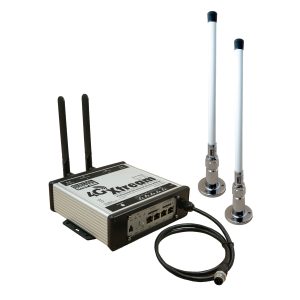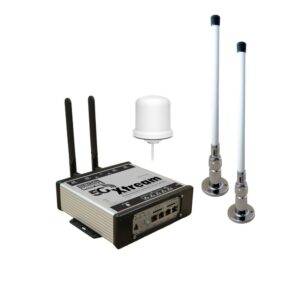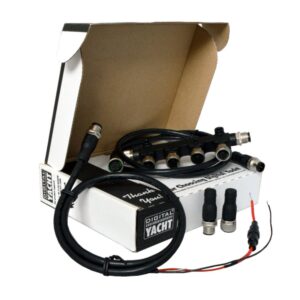


NjordLINK+ – Boat Monitoring Solution
480,00€
“NjordLINK+ securely connects your boat’s NMEA 2000 network to the cloud for an exciting range of applications, real time monitoring, historical data analysis and remote diagnostics. Think it and the Njord cloud can deliver it!”
KEY FEATURES

In today’s connected world, your house, car and smart devices ping data to the cloud for monitoring, control and peace of mind – and even diagnostics such as service requirements or software updates. But how about your boat?
Now there’s a solution – NjordLINK+ takes an innovative, universal and low-cost approach – yet still delivers the best in encryption, privacy and a new generation of applications.
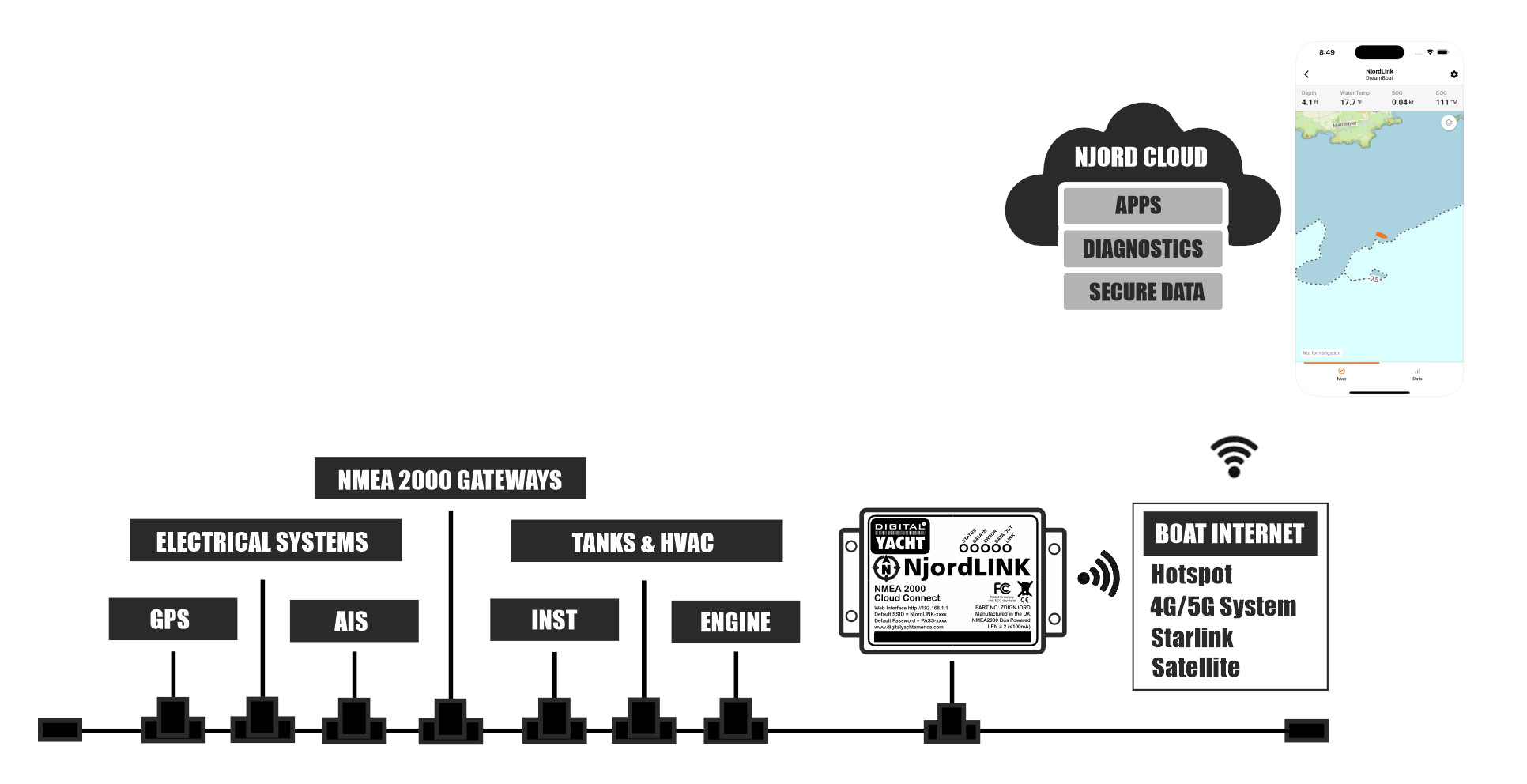
NjordLINK+ brings ALL your boat’s NMEA 2000 data to the secure Njord cloud and opens your boat to the world of Njord apps and connectivity. It also works with any format of internet connection, from WiFi hotspot, 4G/5G on board systems or Starlink.
It’s a new concept in marine technology so you’ll see the platform quickly evolve – but start thinking about boating in a different way from smart anchoring, historical analysis and predictive maintenance for engines and advanced AI. Literally, if you think it, the Njord cloud can do it!
It doesn’t need expensive, custom sensors as it connects to industry standard NMEA 2000 systems and utilises that data to give you granular information with regular updates as you decide.
Plus! NjordLINK+ is bi-directional so cloud apps can send data back to the boat. For instance – electrical switching, messaging or alerting.
Connect your NMEA 2000 devices and network to the cloud and take advantage of remote monitoring, historical analysis, new applications and AI thanks to Njord cloud.

APPLICATIONS
- Universal – Fits to any NMEA 2000 system and brings ALL your boat data to the Njord platform. NjordLINK+ will connect to any internet solution you have on board – hotspot, 4G/5G system or Starlink/satellite
- Simple Install – Use the NjordLINK+ app to set up your cloud service and account
- Secure – Encrypted end to end data ensures your privacy
- Applications – Rethink boating with apps such as AnchorSafe and 100’s more to come
- Boat Owners – Peace of mind 24×7 monitoring of your boat and next generation navigation and utility applications
- Developers – App development made easy with open-source library and easy coding
- Boat Builders – Fit to every boat and create your dedicated platform of connected boats for exceptional service capability
- Equipment Manufacturers – Bring your systems to the cloud for remote diagnostics, updates and applications

NJORDLINK APPS & CLOUD
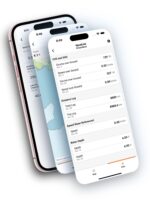
The NjordLINK+ app is free on your app store and gets your account created and your NjordLINK+ device connected in seconds.
The app provides a simple chart and data display page showing the boat’s current position, course, speed and depth information from your boat’s NMEA 2000 network so you can always get reassurance of your boat’s current status.
The data display provides additional information showing which NMEA 2000 device is providing data.
As apps develop, you’ll be able to access them via this platform or via the web.
Unlike many systems, your boat data is end to end encrypted and you can decide who has access from friends and family, fellow boaters or technicians and service agents.
You can download the Njordlink+ app on the iOS store.


INSTALLATION
NjordLINK+ is very simple to install
- Fits in seconds – wire its integral power cable to a fused (5A) 12v or 24v DC supply and plug in a standard NMEA 2000 cable (not supplied) between the backbone and the NjordLink+
- The NjordLINK+ app can be used to connect the NjordLink+ to your boat’s wireless network or for ultimate reliability connect NjordLink+ to your boat’s local area network using a standard RJ45 network cable
- Any internet connection is fine from a simple phone or mifi hotspot, to a dedicated 4G/5G router or Starlink/satellite system – there’s no need for an additional or proprietary data plan
- NjordLINK+ reliably gets a connection to the cloud whenever available and reconnects seamlessly if a connection is lost, forwarding the data it saved whilst the connection to the internet was lost

SPECIFICATIONS
- NMEA 2000 to Cloud Connectivity
- The gateway to connect your boat to the cloud for remote monitoring, security, tracking, exciting apps and diagnostics
- Edge device with local processing, storage and cloud connectivity
- Bi-directional enabled for vessel to cloud and cloud to vessel capability
- Industry leading secure, encrypted and private connection
- DC 12/24v operation or optional AC power
- Certified NMEA 2000 interface
- LAN (wired) port for additional connectivity
- Integrated Wireless and Bluetooth
- Connects to any internet source – wifi, 4G LTE or satellite service – via LAN or wifi
- App available for iOS and Android to get NjordLINK+ connected to any wireless or wired network
- DIN rail mountable
| Weight | 200 g |
|---|---|
| Dimensions | 105 × 72 × 32 mm |
Yes. Once provisioned, all data is uploaded to the cloud and can be viewed remotely via the NjordLink Plus mobile app, including map position and live NMEA 2000 data.
No. NjordLink+ uses its own 12–24V DC power supply.
If NJORDLINK+ temporarily loses its internet connection, no data is lost.
The unit automatically stores all NMEA 2000 data locally in its internal memory while the connection is unavailable. Once the internet connection is restored, NJORDLINK+ will automatically upload all stored data to the cloud, ensuring a complete and continuous data history.
NJORDLINK+ includes 30GB of internal storage, which is sufficient for extended periods without connectivity. However, if the vessel is expected to be without internet access for a long time, it is recommended to power down the unit to avoid filling the storage with unnecessary data.
This process is fully automatic and requires no user intervention.
NjordLINK+requires a NMEA 2000 connection and also needs to wirelessly link to the boat’s internet network so position close to the internet router in a protected area.
Building apps with Njord cloud is easy using free APIs and scripts to quickly parse and query data. Contact us and get involved in our webinars online.
Yes – NjordLINK +has to deliver the boat data to the cloud so you need an internet connection. It doesn’t consume much bandwidth and we automatically reconnect if the connection drops. A simple phone hotspot, wifi, 4G/5G connection or satellite service such as Starlink can be used.
Yes – we can quickly and affordably develop a custom app. You can decide on how data is displayed and how to work with historical data for analysis. Contact us to get a quote.